What accessibility standards do you adhere to?
The Web Content Accessibility Guidelines (WCAG) are the international standard for web accessibility, defining requirements for designers and developers to ensure accessibility for everyone. There are three levels of conformance: Level A, Level AA, and Level AAA.
Meeting these standards for interactive content can be complex, but we are committed to doing so. Our resources are built with accessibility in mind, and strive to balance accessibility, usability and pedagogy in equal measure.
Our goal for the Bioscience LabSim Library is to reach level AA compliance. In line with this goal, we’ve made several updates to improve accessibility for all users. All the changes made align with WCAG 2.1/2.2, WAI-ARIA authoring practices and inclusive design standards, and focus on three main areas:
- Animation player
- Drag-and-drop interactives
- Colour contrast and interface controls
Animation player
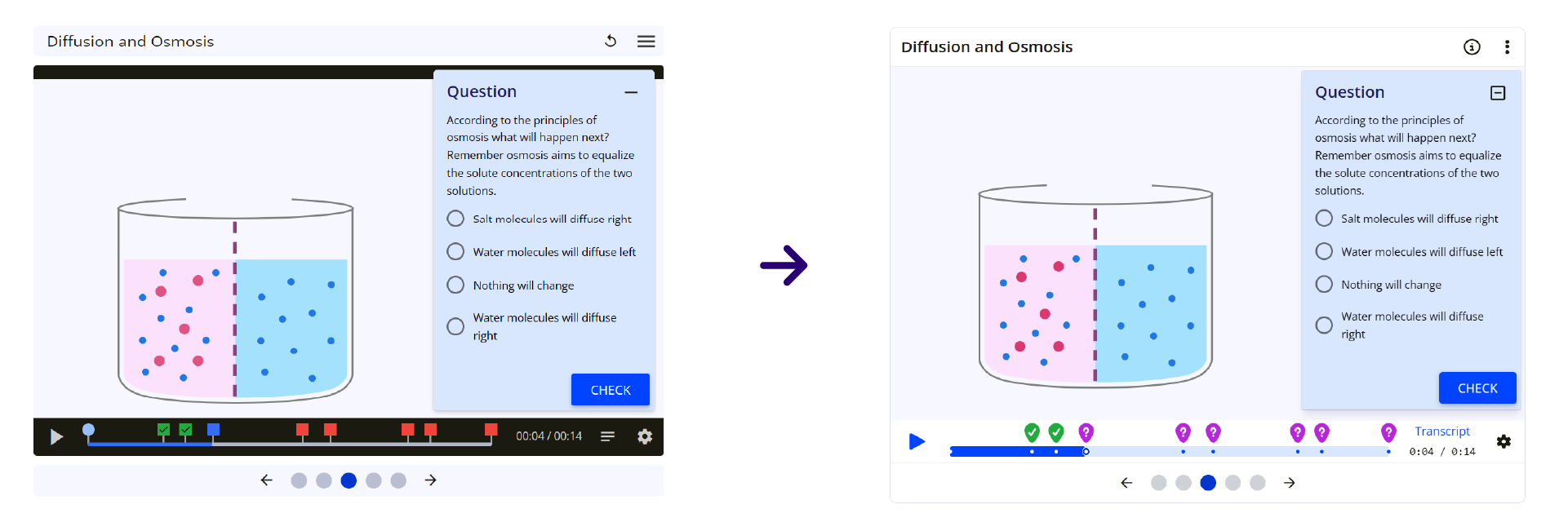
Used to show processes and techniques in detail, the animation player within Labsims features information cards, questions and animated graphics. We’ve worked on improving accessibility across a few areas, focusing on enhanced navigation, visual clarity, and screen reader support.
For students reliant on screen readers, the visual components of a LabSim must be translated into meaningful, descriptive content. The animation player now features refined semantic and ARIA (Accessible Rich Internet Applications) structures, which provides a more predictable user experience. Descriptive labels have also been added, to provide better context when questions are completed. In addition, we’ve improved the keyboard controls, enhanced visual contrast and provided clearer visual cues, ensuring that the player is easier to navigate and that questions are easier to distinguish.
Drag-and-drop
The classic drag-and-drop interaction, a staple of digital learning resources, is a significant barrier for students using keyboard input or assistive technology. We’ve redesigned our drag-and-drop system to be fully operable via mouse, touch, stylus, and keyboard: users can now use accessible alternatives to the standard drag motion, such as ‘Tap to Select’ then ‘Tap to Place’, or using keyboard controls to move objects to their destination. This is supported by clear instructions to guide all users.
Behind the scenes, assistive status messages and descriptive ARIA labels mean that screen readers provide clear feedback on every interaction so that no student is left guessing what’s happening on-screen.
Enhanced user interface
Across all aspects of the BioScience LabSim Library, we’ve enhanced colour contrast to a minimum 3:1 ratio for non-text content. This ensures that user interface components and meaningful graphics are distinguishable, especially for users with low vision or colour perception challenges. Alongside this, enhanced focus indicators have been added to all buttons and controls so that it’s clear what is selected on screen.
We’ve also made improvements to other user interface elements such as tooltips, dialogs and modal content, to align them with modern best practice design patterns and ensure full keyboard support.
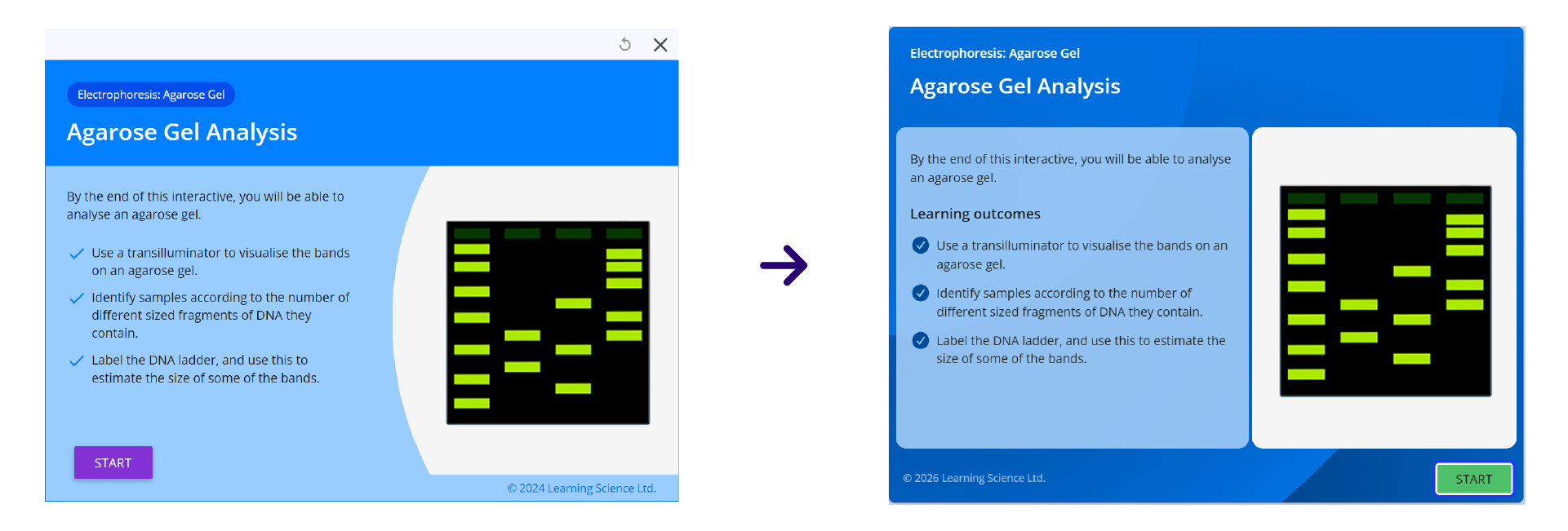
Overall, these enhancements significantly improve the experience for all students, especially those using assistive technologies. They mark a step forward in our commitment to inclusive design and accessibility, ensuring that all learners have a seamless, equitable learning experience when using LabSims.
For more specific details about this update, see the release notes. If you have any questions or want to know more about our approach to accessibility, get in touch via support@learnsci.com and we’d be happy to help.

.jpg)
.jpg)